
You bought a quality microphone, hit record and the audio still sounds off. A faint hum, a harsh pop on every “p” or “b”, and a hollow echo that makes your voice sound like you’re inside a tin can. Sound familiar? Here’s what most guides miss: the mic is only half the equation. In fact, the microphone accessories for content creators that you pair it with or skip entirely make just as big a difference to your final sound.
Whether you’re building your first podcast microphone setup or leveling up a home studio, the right accessories turn a raw recording into something people actually want to listen to. Specifically, this guide walks you through everything you need and why it matters so your audio does justice to your content. At Fusion Max Pakistan, we stock professional audio accessories from trusted brands like RØDE and Synco so you can build a great-sounding setup without the guesswork.
Why Microphone Accessories Are Not Optional
Let’s settle this upfront: microphone accessories for content creators are not just nice-to-haves. Rather, they’re the difference between audio that sounds professional and audio that pushes your audience away.
Think about where most creators record a home office, a spare bedroom, or even a desk in a busy apartment. Clearly, these spaces are full of acoustic problems. Sound bounces off hard walls, desk vibrations travel straight into your mic, and even a laptop fan can ruin an otherwise clean take.
A microphone picks up everything. It doesn’t filter for intent. So, without the right accessories, you’re essentially handing over all that noise to your audience and they’ll leave. Research on podcast and video retention consistently shows that poor audio quality drives viewers and listeners away faster than poor visuals. Therefore, your content creator audio setup needs to be deliberate. That means treating your microphone as a system, not a single device.
1. Pop Filter — Stop Plosives Before They Ruin Your Take
That harsh burst of air you hear when someone says “podcast” or “powerful” on a recording? That’s a plosive and it’s one of the most common audio problems content creators face, especially beginners who don’t yet understand what a pop filter for microphone actually does.
A pop filter sits between your mouth and the mic capsule, physically breaking up the airflow before it creates that sharp, unpleasant spike in your recording. Consequently, the result is a smoother, more natural vocal tone without fixing it in editing. Most pop filters clip onto your mic stand or boom arm and are fully adjustable. Particularly, for condenser microphone accessories this tool is non-negotiable; condenser mics pick up the full force of plosive air hits.
A great example is the RØDE WS2, a foam windscreen built for RØDE’s NT1, NT1-A, and NT2-A mics. It reduces plosives and filters wind noise without coloring your tone. Simply put, if you’re voicing videos or recording podcasts, this is the first accessory to add to your setup.
Pop Filter vs. Built-in Foam Windscreen — Which Do You Need?
A built-in foam windscreen helps reduce light wind and handling noise, making it useful for outdoor or casual recording. However, it doesn’t effectively control plosives (like “p” and “b” sounds) during indoor use. A dedicated pop filter, made from nylon or metal mesh, is specifically designed to stop these harsh bursts and improve vocal clarity. Ideally, use both together. If choosing one for home recording, a pop filter offers the most noticeable improvement in sound quality.
2. Shock Mount — Eliminate Vibration Noise at the Source
Every time your desk shakes from typing, from footsteps, from that upstairs neighbor those vibrations travel through surfaces, up your mic stand, and directly into the microphone capsule. Ultimately, the result is a low-frequency rumble that quietly ruins your recording.
A shock mount for microphone solves this by suspending the mic in a cradle of elastic bands or rubber rings. Instead, your mic literally floats isolated from the physical vibrations around it.
This is especially important for condenser mics, which are far more sensitive to structure-borne noise than dynamic mics. Without question, if you’re using a condenser for the best mic setup for YouTube or podcasting, a shock mount isn’t optional, it’s foundational. Make sure the shock mount is compatible with your microphone’s diameter. Most brands list thread sizes and mic diameter ranges clearly. It’s a small detail that makes pairing simple.
Do You Need Both a Shock Mount and a Pop Filter?
Yes and here’s why: they solve completely different problems. A shock mount isolates the mic from vibration that travels through physical surfaces. Meanwhile, a pop filter stops airborne plosive noise that comes directly from your mouth. Neither one does what the other does. Furthermore, if you’re serious about clean audio, use both together. They’re affordable, easy to set up, and they work immediately. Together, they form the core of a well-planned microphone accessory for a podcasting rig.
3. Boom Arm / Mic Stand: Position Your Mic Right Every Time
Mic placement directly affects your tone, clarity, and how much room noise gets picked up. Notably, a boom arm mic stand gives you the flexibility to dial in that position precisely and keep it there. A desk stand has real limitations: it picks up surface vibration and restricts how close or angled you can get. In contrast, a boom arm clips to your desk edge and extends freely, putting the mic exactly where you need it without cluttering your workspace.
For anyone using a microphone stand for streaming, a boom arm is practically standard. Position the mic just below your camera frame, keep it out of shot, and maintain consistent mic-to-mouth distance even when you shift in your chair. A solid example is the RØDE PSA1, a professional studio boom arm with smooth lockable joints, a full 360° rotation range, and a built-in cable management channel. Without doubt, it’s a reliable, long-term investment for any serious recording setup.
Best Boom Arms for Different Setups
The right boom arm depends on how and where you record:
- Desktop podcasters: Look for a heavy-duty arm with a full 360° rotation range and a weight capacity that matches your mic and shock mount combined.
- Streamers and gamers: A compact, low-profile arm that stays out of your camera frame and retracts cleanly between sessions is ideal.
- Home studio users: A longer-reach arm with built-in cable management channels keeps your desk clean and your setup looking sharp.
Regardless, always check that the arm supports the combined weight of your mic, shock mount, and pop filter. Undersizing this often leads to drooping and constant readjusting.
4. Windscreen: Essential for Outdoor and Field Recording
Recording outside introduces a whole new problem: wind. Even a light breeze creates a rolling, low-frequency noise that can completely overwhelm your audio. Naturally, that’s where a windscreen for microphone and specifically the furry deadcat becomes essential.
A standard foam windscreen handles light wind, which is enough for controlled outdoor conditions. But for field recording, vlogging on the go, or shooting in genuinely breezy environments, you need a dead cat with a fluffy, fur-like windshield that muffles turbulent air far more effectively.
The furry material disrupts airflow before it reaches the mic capsule, dramatically reducing wind noise without noticeably affecting vocal clarity. RØDE’s deadcats, for instance, are purpose-built for their shotgun microphone range and make an audible difference from the very first outdoor take. If you’re a vlogger, documentary filmmaker, or field interviewer, a deadcat is not optional. It’s the difference between usable outdoor audio and a completely wasted shoot.
5. Audio Interface — The Bridge Between Your Mic and Your Computer
If you’re using an XLR microphone, you can’t plug it directly into your computer. Instead, you need an audio interface for content creators. It converts the analog signal from your microphone into a clean digital signal your recording software can work with.
This is where the XLR vs USB microphone conversation really matters. USB mics are convenient, but XLR mics paired with a quality interface deliver better sound quality, a lower noise floor, and room to grow.
A good audio interface provides phantom power, direct monitoring, and gain control essentials for serious content creation. As an example, the RØDECaster Pro II, is a broadcast-grade interface with built-in mixing, phantom power, and real-time processing built specifically for podcasters and streamers. At Fusion Max, we carry reliable audio interfaces across a range of budgets from clean two-channel options for solo creators to more advanced setups for multi-mic productions.
6. Closed-Back Headphones — Monitor What Your Audience Actually Hears
Monitoring your audio while you record is one of the most important habits a content creator can develop and you simply can’t do it properly without the right headphones. Closed-back headphones are specifically designed for studio monitoring. Unlike open-back headphones, which leak sound and can bleed back into the mic, these headphones keep audio completely isolated to your ears. That means you hear exactly what the microphone is capturing, including any noise, distortion, or level issues, before they become problems baked into your recording.
A strong choice is the RØDENTH-100, a professional over-ear headphone with a flat frequency response, exceptional comfort for long sessions, and accurate sound reproduction built for real-time monitoring.
This matters especially for home recording studio accessories setups. In untreated rooms, problems like room reverb or electrical hum are easy to miss until you’re deep into editing. Fortunately, real-time monitoring catches them early, when they’re easiest to fix. Consumer earbuds and Bluetooth headphones color the sound in ways that will actively mislead your mixing decisions.
7. Acoustic Treatment Panels — Fix the Room, Not Just the Mic
You can have the most expensive microphone available and it will still sound amateur in an untreated room. Essentially, bare walls and reflective surfaces create echo that a mic captures faithfully, because that is exactly what mics are built to do. Acoustic treatment for recording absorbs or diffuses sound waves before they bounce back into the mic. Additionally, panels, bass traps, and foam tiles can transform a live-sounding room into a broadcast-quality recording space without covering every wall.
Place treatment behind the speaker, on side walls near the recording position, and in corners where bass builds up. Overall, for podcasters, YouTubers, and voiceover artists, this is one of the highest-ROI upgrades on this entire list.
8. XLR Cables and Cable Management — The Overlooked Essentials
A bad cable can ruin a session in ways that are difficult to fix. Low-quality XLR cables introduce electromagnetic interference, intermittent signal loss, and crackling noise that appears mid-recording without warning. Evidently, for anyone building microphone accessories for content creators setups with XLR mics, quality cables are non-negotiable. Balanced XLR cables reject interference along their entire run, which is crucial when recording near monitors or powered equipment.
Cable management matters too. Tangled cables wear out faster, create noise, and make troubleshooting harder. To that end, velcro ties, cable clips, and desk-mounted channels keep everything organized and extend the lifespan of your gear. Think of it as insurance for your entire audio investment.
Your Complete Microphone Accessories Checklist
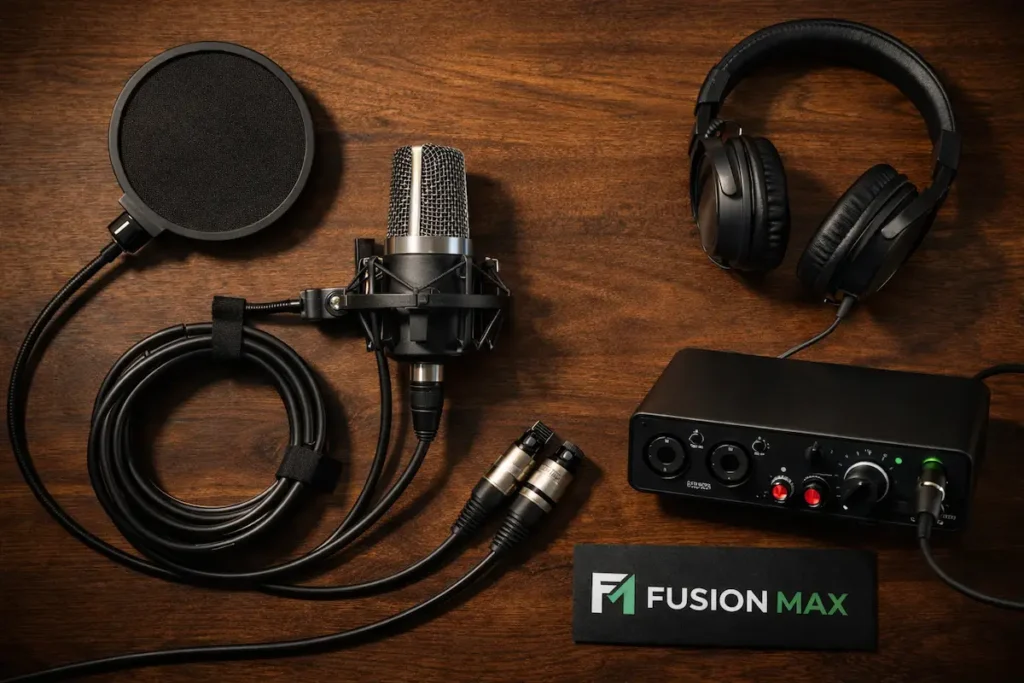
| Accessory | Problem It Solves | Best For |
| Pop Filter | Plosive sounds (“p” and “b” bursts) | Podcasters, voiceover artists, YouTubers |
| Shock Mount | Desk and floor vibration noise | Condenser mic users, home studio setups |
| Boom Arm / Mic Stand | Poor mic positioning and consistency | Streamers, podcasters, desk recorders |
| Windscreen / Deadcat | Wind noise in outdoor environments | Vloggers, field recorders, interviewers |
| Audio Interface | XLR mic connection and sound quality | Serious creators upgrading from USB |
| Closed-Back Headphones | Real-time audio monitoring accuracy | All creators recording in any environment |
| Acoustic Treatment Panels | Room echo and reverb | Home studios, podcasters, voiceover artists |
| XLR Cables | Signal interference and connection reliability | Anyone using XLR microphones |
Common Mistakes Content Creators Make With Microphone Accessories
Even with the right gear in hand, setup mistakes can quietly hold your audio back. Choosing the wrong microphone accessories for content creators or skipping them entirely is often the real reason recordings fall short. Below are the most common ones worth knowing about and avoiding.
- Mic too far from your mouth: Stay within 15–20cm for clear, full-bodied vocals. Any further and your voice sounds thin and distant.
- No shock mount on a condenser mic: Every keystroke and desk movement travels into your recording. A shock mount stops that instantly.
- Wrong headphones for monitoring: Consumer earbuds and Bluetooth headphones mislead your ears. Use closed-back studio headphones to hear what’s actually there.
- Untreated room, no acoustic panels: Echo baked into a recording cannot be removed in editing. Fix the room before you fix the mic.
- USB mic with XLR expectations: USB is a great starting point, but an audio interface delivers a noticeably cleaner, richer sound.
- Cheap or damaged XLR cables: They crackle, cut out, and fail mid-take. Good cables are cheap insurance for expensive recordings.
- Skipping the pop filter: If your “p” and “b” sounds hit hard, a pop filter is a two-minute fix that saves hours of editing.
Final Thoughts
Good audio is not about having the most expensive gear. It’s about using the right microphone accessories for content creators in the right way. A pop filter, shock mount, boom arm, audio interface, and a treated room each one solves a real problem. Skip one, and you’ll hear it. The best microphone accessories are not always the priciest. Importantly, they’re the ones that match your setup, your space, and how you actually record. Start with the basics, build gradually, and your audio will reflect the effort. Your audience always notices the difference even when they can’t explain why.
Explore our full range of microphone accessories at Fusion Max Pakistan including top-rated products from RØDE, Synco, and more. Whether you’re just starting out or upgrading a full home studio, we’ll help you find exactly what your audio needs.
Frequently Asked Questions
Do I really need a pop filter if my microphone already has a built-in windscreen?
Yes. A built-in windscreen reduces wind and handling noise, but it doesn’t effectively stop plosives. A dedicated pop filter targets those harsh “p” and “b” bursts specifically. In particular, for indoor recording and vocal-heavy content, a pop filter delivers noticeably cleaner results. Use both together for best results.
What is the difference between a shock mount and a mic stand?
A mic stand holds your microphone in position. On the other hand, a shock mount suspends it using elastic bands or rubber rings, isolating it from desk vibrations and movement. They serve different purposes and work best together. One positions the mic the other protects the signal quality from physical interference.
Do I need an audio interface if I already have a USB microphone?
Not immediately. USB mics have a built-in interface and work fine for beginners. However, if you want better sound quality, lower noise, and the flexibility to use professional XLR microphones, upgrading to a dedicated audio interface is a worthwhile and noticeable step forward.
What microphone accessories do I need for outdoor recording?
For outdoor recording, a deadcat windscreen is essential, it blocks wind noise far better than standard foam. Similarly, a sturdy boom arm or handheld mic grip also helps with stability. If you’re using a shotgun mic, a purpose-built deadcat like those from RØDE makes an immediate, audible difference.
How far should I sit from my microphone for the best sound?
For most cardioid condenser microphones, 15 to 20 centimeters is the ideal distance. Any closer and the audio sounds boomy. Conversely, any further and it sounds thin and roomy. Consistent distance matters too, a boom arm helps you maintain the same position every single session.