
Clear audio makes a strong first impression. Whether you record podcasts, videos, voiceovers, or online meetings, unwanted sound can quickly ruin the experience. Many creators struggle with hums, echoes, and room noise without realizing that small setup changes can make a big difference. Learning how to reduce background noise in a microphone is not about expensive gear. Instead, it starts with understanding sound behavior and using the right techniques.
Background noise often comes from the room, microphone placement, or incorrect settings. Because microphones are sensitive, they capture more than just your voice. As a result, fans, traffic, and electrical interference become part of the recording. The good news is that most noise problems are preventable.
In this guide, we share practical, easy-to-apply tips that help creators achieve cleaner sound. From microphone positioning to room treatment and software tools, these steps work for home setups and professional environments alike.
Understanding Background Noise in Microphones
Microphone background noise refers to any unwanted sound recorded alongside your voice. This can include constant hums, electrical hiss, room echo, or environmental sounds. Microphones are designed to capture detail, which means they also pick up vibrations, reflections, and distant noise sources.
Different microphones react differently to noise. Condenser microphones are highly sensitive and capture more room detail, while dynamic microphones focus more on direct sound. However, even the best microphone will record noise if the setup is incorrect. That is why microphone background noise is usually a setup issue rather than a product flaw.
Another important factor is the recording environment. Hard surfaces reflect sound, creating echo and reverb. Meanwhile, incorrect gain levels amplify noise instead of clarity. Understanding these basics helps creators apply noise control techniques effectively instead of relying only on post-processing. When managed correctly, clean audio becomes achievable in almost any space.
What Causes Microphone Background Noise?

Background noise usually comes from a mix of environmental factors, equipment issues, and improper settings. Understanding these causes makes it easier to reduce background noise in a microphone without frustration or unnecessary upgrades.
Common Causes of Microphone Noise in Pakistan
- Ceiling fans, traffic sounds, and open windows often enter recordings due to poor room isolation and microphone sensitivity.
- Electrical interference from unstable power sources introduces hum and buzzing, especially in untreated recording environments.
- Low-quality cables and loose connections create static noise that becomes noticeable during quiet recording moments.
Tips to Reduce Noise in a Microphone for Better Sound
Clean audio depends on small but important adjustments. By improving setup, environment, and settings, you can achieve clearer recordings without expensive upgrades.
- Place the microphone closer to your mouth to capture your voice clearly and reduce room noise.
- Lower the microphone gain to prevent amplifying background hum and electrical interference.
- Record in a quiet room away from fans, traffic, and other constant noise sources.
- Use pop filters and shock mounts to control plosives and reduce vibration noise.
- Apply light noise reduction in software only after improving recording conditions first.
Proper Microphone Placement for Noise-Free Audio
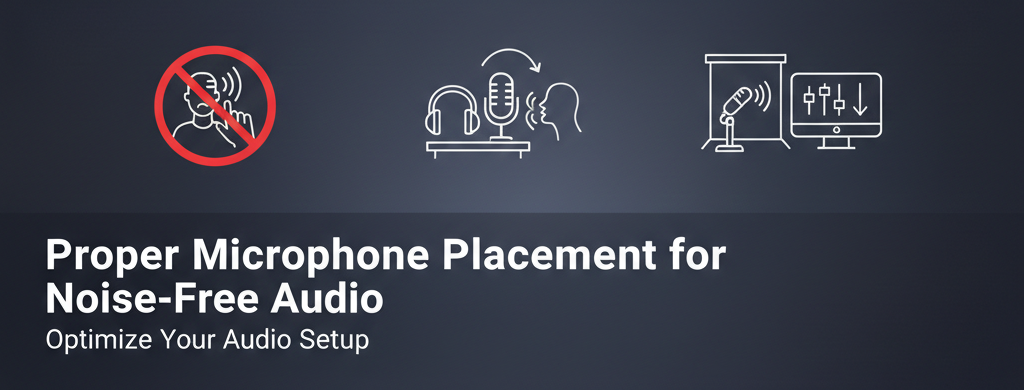
Correct microphone placement is one of the most effective ways to reduce mic noise naturally. Small adjustments in distance and direction significantly improve clarity while minimizing unwanted sound pickup.
Ideal Distance Between Mouth and Microphone
Maintaining the right distance helps balance voice clarity and noise control. Keeping the microphone about 6 to 8 inches from your mouth reduces room reflections while capturing strong vocal detail. Being too far increases background pickup, while being too close causes plosives and distortion. Consistent distance improves recording stability.
Direction Matters – Speaking Into the Correct Mic Angle
Microphones are designed to capture sound from specific directions. Speaking directly into the front of the microphone ensures clear voice pickup and limits side noise. Off-axis speaking increases room sound and echo. Aligning your mouth with the mic’s pickup pattern improves clarity and helps eliminate background noise naturally.
Using Accessories to Reduce Microphone Background Noise
Accessories play a major role in improving sound quality. The right add-ons help absorb, isolate, and control unwanted vibrations during recording.
Importance of Pop Filters and Foam Windscreens
Pop filters and foam windscreens reduce harsh breath sounds and plosive noise. They prevent sudden air bursts from hitting the microphone capsule directly. This results in smoother vocals and less low-frequency rumble. These accessories are simple, affordable, and essential for microphone noise reduction.
Shock Mounts – Why They Are Essential
Shock mounts isolate microphones from vibrations caused by desk movement or handling. Without them, even small bumps transfer directly into recordings. By suspending the microphone, shock mounts reduce low-frequency noise and improve recording stability. This makes them valuable for podcasting and voice work.
Mic Stands and Boom Arms for Stable Recording
A stable microphone position prevents accidental movement and handling noise. Boom arms and stands keep microphones at a consistent height and distance. This improves comfort while recording and reduces unwanted vibration. Stability directly supports cleaner audio and long recording sessions.
Looking for reliable microphones, pop filters, shock mounts, or audio interfaces?
Fusion Max⇗ supplies trusted audio gear designed to help creators reduce microphone background noise with confidence.
Room Treatment Tips to Minimize Noise
Room acoustics affect recordings more than most creators realize. Simple treatment steps greatly improve sound quality.
Simple Acoustic Treatment for Home Studios
Soft materials absorb reflections and reduce echo. Curtains, carpets, and padded furniture help control sound naturally. Recording near bookshelves or fabric surfaces improves clarity. These adjustments do not require permanent changes and work well in small rooms. Basic treatment significantly improves voice presence.
Budget-Friendly Soundproofing Tips in Pakistan
- Thick curtains and rugs absorb noise and reduce echo without expensive acoustic panels.
- Recording during quieter hours minimizes traffic and environmental sounds effectively.
- Door seals and draft stoppers block outside noise from entering small recording spaces.
Audio Interface and Sound Card Settings
Incorrect audio settings amplify noise instead of voice. Proper configuration ensures clean input without distortion.
Setting Proper Gain Levels
Gain controls how much signal enters the system. Setting the gain too high increases hiss and background noise. Aim for levels that peak between -12 dB and -6 dB. This balance captures a clear voice without amplifying unwanted sounds.
Using Phantom Power Correctly
Phantom power is required for condenser microphones, but should be used carefully. Activating it unnecessarily can introduce noise. Always confirm microphone requirements before enabling phantom power. Correct usage prevents interference and protects recording equipment.
Software Solutions to Reduce Microphone Noise
Recording software includes helpful tools that clean audio without affecting voice quality when used correctly.
Noise Reduction Features in Recording Software
Most recording programs offer noise reduction tools that analyze background sound. These features help eliminate background noise like hum or hiss. Apply noise reduction lightly to avoid robotic voice effects. Software works best when paired with good recording habits rather than replacing them.
Common Mistakes That Increase Microphone Noise
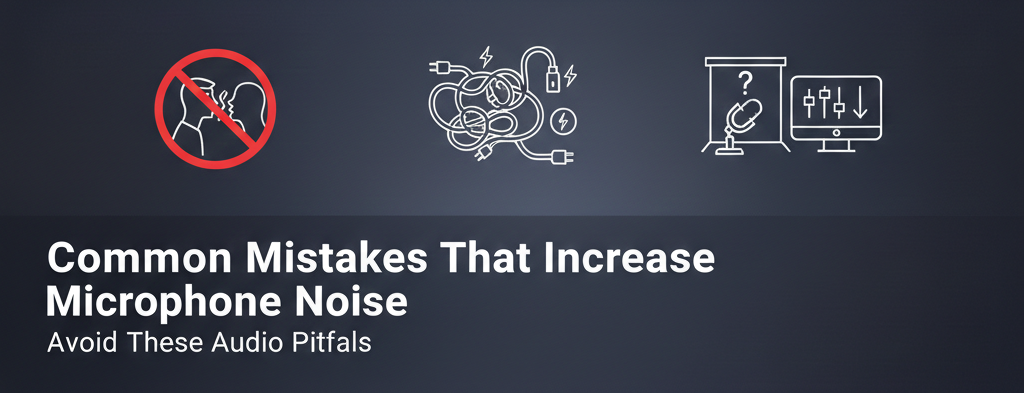
Many noise problems come from avoidable habits. Identifying these mistakes helps creators apply effective noise reduction microphone tips with long-term success.
Using Cheap or Damaged Cables
- Poor cables introduce static and interference that increases background noise.
- Worn connectors cause crackling during recording and movement.
- Low-quality shielding allows electrical noise into the signal path.
Recording in Noisy Environments
- Open windows allow traffic and street noise into recordings.
- Ceiling fans and air conditioners create a constant background hum.
- Shared spaces introduce unpredictable sound interruptions.
Conclusion – Get Crystal Clear Sound with the Right Microphone Setup
Clean audio is achievable with the right approach. Learning how to reduce background noise in a microphone starts with placement, environment, and proper settings. Accessories, room treatment, and software tools all support better sound when used together. Instead of relying on fixes later, focus on recording quality first.
With consistent setup habits and reliable equipment, creators achieve professional results faster. Distributors like Fusion Max support this process by offering trusted audio solutions designed for real recording environments. When your setup is optimized, your voice stays clear, confident, and ready for any project.
Start Your Podcast Journey with Fusion Max⇗
View Top Podcast Microphones in Pakistan 2026⇗ — Discover studio-quality sound solutions designed to cut background noise and empower creators with crystal-clear audio.
Frequently Asked Questions
Why does my microphone pick up so much background noise?
Microphones pick up background noise due to room acoustics, high gain settings, and incorrect placement. Sounds like fans, traffic, and electrical interference get amplified easily. Sensitive microphones also capture reflections from walls and desks. Proper positioning, controlled gain, and basic room treatment help reduce microphone background noise effectively.
Which microphone is best for noise-free recording in Pakistan?
For noise-free recording in Pakistan, dynamic microphones are often better for untreated rooms because they reject background sound. XLR microphones paired with a quality audio interface offer cleaner signal control. Condenser microphones work well in treated spaces. Choosing the right microphone depends on room conditions and usage needs.
Can software completely remove background noise from a microphone?
Software can reduce background noise, but it cannot remove it completely without affecting voice quality. Noise reduction tools work best on constant sounds like hum or hiss. However, strong noise should be controlled during recording first. Clean input always produces better results than heavy post-processing fixes.
How can I reduce background noise without buying a new microphone?
You can reduce background noise without buying a new microphone by improving placement, lowering gain, and recording in a quieter space. Use soft furnishings to absorb reflections. Turn off fans and appliances. Simple accessories like pop filters and shock mounts also help eliminate background noise naturally.
Is a USB or XLR microphone better for reducing noise?
The XLR microphones generally have enhanced noise control due to the fact that they work with audio interfaces that handle the gain more accurately. USB microphones are not hard to carry, but they use built-in converters, which may add noise. XLR setups are usually favored in professional and home studios in order to obtain cleaner recordings and flexibility.