
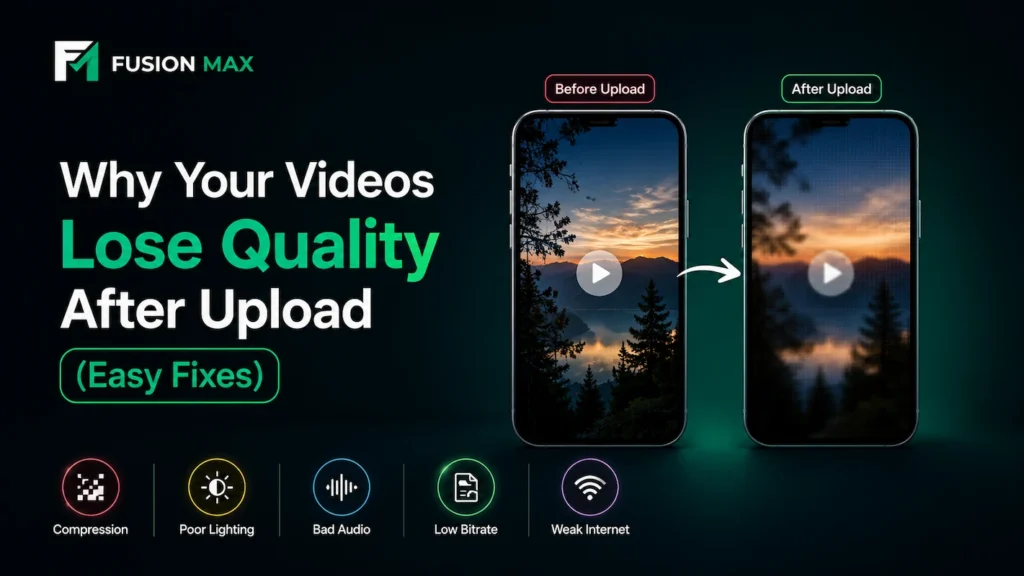
You filmed a clean, sharp clip on your phone, and it looked perfect before posting. Then you hit upload, and your reels quality quietly fell apart. The colors washed out, the edges turned soft, and your footage suddenly looked cheap.
This same problem frustrates almost every creator in Pakistan today. You put in the work, but the platform changed your result before anyone saw it. The good news is that most of these issues are completely fixable once you understand them.
This guide breaks down exactly why your quality drops, and how to fix it fast. We will keep everything practical, simple, and easy to follow.
Why Reels Quality Drops After Upload
Your video does not stay the same after you hit upload. Each platform processes it heavily. That processing is the main reason your footage looks worse online. Here are the core reasons behind the drop.
- Instagram compression shrinks your file to save space and load faster. This squeezing removes fine detail from your footage, so your sharp clip becomes softer in seconds.
- TikTok compression works in a similar way. The app re-encodes your video on its own servers, and heavy motion or dark scenes suffer the most during this step.
- Low bitrate uploads also hurt your final result. Bitrate controls how much data your video carries per second, and low data means blocky, fuzzy frames after processing.
- Poor lighting is another silent killer. Dark footage forces the platform to work harder, and that extra work creates more visible damage across your frame.
- Weak mobile internet plays a role too. A slow connection can push platforms to lower your file, and the result is a softer, duller upload.
The Biggest Reasons Reels Look Blurry
A few specific mistakes cause most of the blurry results creators struggle with online. The frustrating part is that your original footage often looks great on your phone. The damage usually happens during recording and exporting, long before the platform gets involved.
Fix these three core issues first, because they deliver the biggest and fastest improvement to your final video.
Low Light Creates Heavy Compression Artifacts
Dark rooms are the enemy of clean video. Your camera adds digital noise in low light to brighten the scene. Platforms then read this noise as real detail and try hard to preserve it. This struggle creates background compression artifacts across your frame. You start to see blocky patches, color banding, and muddy, lifeless shadows.
Strong low light video quality removes most of this problem before it ever starts. Bright, even light gives the platform clean data to keep instead. Clean data survives compression far better than noisy footage, so your clips stay sharp.
Wrong Export Settings Reduce Video Sharpness
Many creators export with random settings and simply hope for the best result. This common habit quietly destroys sharpness without any warning sign. The wrong resolution or frame rate confuses the platform during processing. It then guesses how to fill the gaps, and that guessing softens your image.
Correct video bitrate settings keep your detail intact during upload instead. A higher bitrate gives the platform far more data to work with. Your footage then stays crisp and clean after processing. Matching the platform format also matters a lot for your final look. The right export preserves your full social media video quality on screen.
Built-In Audio Makes Videos Feel Low Quality
People judge video quality with their ears just as much as their eyes. Tinny, echoey phone audio makes even great footage feel cheap and amateur. Viewers sense that drop instantly and scroll away within seconds. A dedicated microphone delivers clean audio quality that holds attention from the first word. Strong, clear sound also makes your visuals feel far more premium and intentional. This single upgrade lifts your whole reels quality in a way viewers notice right away.
Quick Fixes to Improve Reels Quality
The fixes below come straight from real shoots, not theory. Each one targets a specific cause of quality loss you can solve today. Keep this table handy as a quick checklist before every upload. Apply two or three of them, and you will notice the difference in your next post.
| Problem | Quick Fix | Why It Works |
| Blurry after upload | Export at high bitrate | More data survives compression |
| Dark, noisy footage | Add soft front lighting | Less noise means fewer artifacts |
| Hollow, echoey sound | Use an external mic | Clear audio feels professional |
| Soft, flat image | Shoot near a window | Even light keeps detail sharp |
| Choppy motion | Lock frame rate at 30fps | Smooth, stable playback |
| Wrong shape on screen | Film and export vertical | Full-frame, no awkward cropping |
Creator Gear That Helps Reels Look More Professional
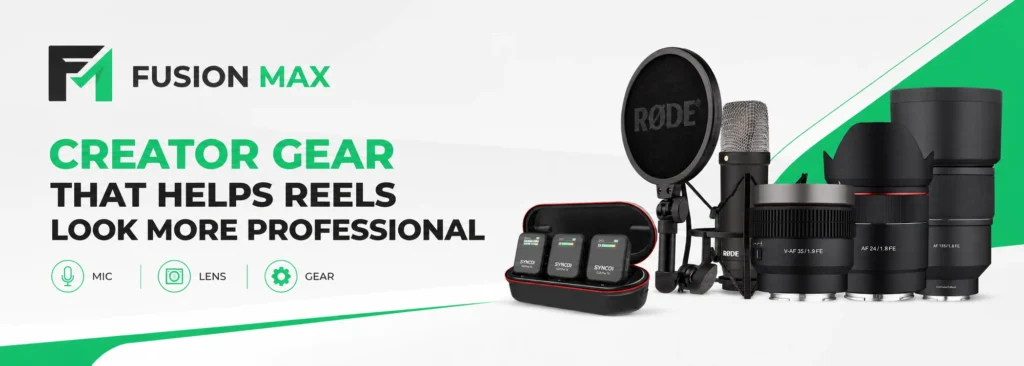
Good habits fix a lot, but the right tools take your content much further. Even a small, smart kit can transform your everyday clips into something memorable. Fusion Max has supplied original creator gear in Lahore since 2010, earning the trust of local creators. Our lineup covers quality audio and sharp lenses in one place. This makes building a reliable setup simple.
Wireless Microphones for Cleaner Reels Audio
Audio is the fastest upgrade for any creator. A wireless audio system frees you from cables and noise. You move freely while your sound stays locked in. RØDE and Synco wireless mics are popular picks for this. Both deliver crisp voice capture for talking clips. They are a smart choice for the best microphone for reels on a creator budget. Clean sound makes your footage feel like professional reels instantly. Viewers trust polished audio more than they realize.
Samyang Lenses for Cinematic Reels
Your lens shapes the entire look of your video. A bright prime lens creates that soft, dreamy background. This effect is called cinematic background blur. LK Samyang lenses deliver this look at a fair price. They come in popular mirrorless mounts to fit modern cameras. Sony E, Canon RF, and Nikon Z are the most common options. These mounts cover most newer autofocus lenses in the LK Samyang lineup. So most mirrorless creators can find a matching lens with ease. Each one gives sharp subjects with smooth, creamy backgrounds. That separation is what makes cinematic reels feel premium.
For Sony, Canon, or Nikon shooters, a fast Samyang prime is a strong best lens for reels option. It turns simple clips into eye-catching, scroll-stopping content.
LED Lighting for Better Social Media Videos
Lighting fixes more problems than any other tool. A simple creator lighting setup removes noise and lifts detail. Your footage holds up far better after upload. Soft, even light also flatters faces and products. It helps you produce professional social media videos at home. One LED panel often changes everything for new creators.
Pair good light with a clean lens for the best result. Together they protect your detail through platform compression.
Best Export Settings for Instagram Reels & TikTok
Correct settings keep your hard work visible online. Use these proven numbers for both platforms. They suit almost every phone and editing app.
- Start with a 1080×1920 reels export for the full vertical frame. This matches the native screen shape and avoids cropping, black bars, and awkward zooms.
- Lock your footage to 30FPS reels for smooth, natural motion. This frame rate suits talking, lifestyle, and product clips, and it compresses cleanly on both apps.
- Push your bitrate high during export when your app allows it. Aim for the maximum your editor offers, since more data means stronger detail after processing.
A clean vertical video setup ties all of this together. Film vertical, edit vertical, and export vertical. This consistency protects your final reels quality end to end.
Build these steps into your creator workflow every time. Repeating the same export keeps your results predictable. Consistency is the secret behind every polished feed.
Common Mistakes That Reduce Reels Quality
Small habits often cause big quality losses. Avoid these three common traps. Each one quietly damages your footage before viewers even watch.
Uploading Videos on Weak Mobile Data
A weak signal can force platforms to lower your file. Your upload finishes, but the quality suffers. The footage looks softer than your original clip. Upload on stable Wi-Fi whenever possible. A strong connection protects your full detail. This simple switch preserves your reels quality during posting.
Recording in Dark Indoor Rooms
Dim rooms create noisy, muddy footage every time. The camera fights to see in low light. Platforms then amplify that damage during compression. Move toward a window or add a light. Bright scenes keep detail clean and stable. Good light remains the cheapest fix for sharper video.
Overediting Videos Before Upload
Heavy editing can backfire badly. Too much sharpening adds harsh, crunchy edges. Too much color grading creates banding in the sky and shadows. Keep your edits light and natural. Gentle adjustments survive compression far better. A clean edit protects your detail and your final look.
Final Thoughts
Quality loss after upload feels frustrating, but it is solvable. Start with light, sound, and correct export settings. These three fixes deliver the biggest visible gains.
The right gear then pushes your content further. A clear mic, a bright lens, and soft light go a long way. Together they turn ordinary clips into cinematic reels people stop to watch.
Fusion Max stocks original RØDE, Synco, and LK Samyang gear in Camera Market, Lahore. Our team can guide you toward the right setup for your goals. With a few smart upgrades, your content can finally look as good online as it does on your screen.
Ready to upgrade your setup? Visit Fusion Max in Camera Market, Lahore, or browse our full range online. Call us at +92 325 1111089, and our team will help you choose the right gear today.
Frequently Asked Questions
How do you get 4K quality on Instagram Reels?
To get the highest possible quality on Instagram Reels, shoot in 4K, then manually export to 1080×1920 at 30fps. Instagram caps Reels at 1080p, so it compresses files aggressively. Pre-compressing the video yourself protects detail. Enable the app’s highest quality upload setting to prevent jagged compression artifacts.
What export settings are best for Reels?
Export at 1080×1920 resolution and 30fps for smooth, vertical playback. Use the highest bitrate your editor allows, ideally above 10 Mbps. Choose H.264 format and MP4 file type. These settings keep detail sharp and survive Instagram compression far better.
What are the best export settings for TikTok and Reels?
For the crispest results on both apps, export at 1080p resolution and 30fps. Use the H.264 codec for clean, compatible playback. Set your bitrate between 10 and 20 Mbps. This range stops both platforms from over-compressing your footage during upload, so your detail stays sharp.
What is the maximum file size and length for high-quality Reels?
Instagram Reels allow up to 90 seconds at 4GB maximum. For best quality, keep clips short and the bitrate high. Shorter videos compress less aggressively. Aim for 15 to 60 seconds to hold detail, attention, and clean playback after upload.
Which microphone is best for Reels?
Wireless lavalier mics are best for Reels, since they capture clean, close audio while you move. RØDE and Synco wireless mics are reliable, creator-friendly picks. Fusion Max stocks both in Lahore. With clear audio like this, your Reels instantly sound sharper and far more professional.